 Saleem
 guide: log sugar and blood pressure, share a doctor report
Step by step: create an account, log sugar, blood pressure and weight, follow medicines and lab tests, and share a doctor report by a link that expires.
Saleem is a health notebook on your phone or computer. You measure at home as usual and log the number; Saleem organises it, shows its status against general ranges and prepares a report for your doctor. This guide takes you through each part once so you can begin with confidence.
1. Create your account
Open saleem.thorops.com and tap "Create your account". Sign up with your phone number or a username and a password, or with your Google account. With Google we receive only your name, email address and account ID, nothing else.
If you would rather look around first, the demo account on the home page opens the app with sample data and no sign-up.
2. Log your first reading from your device
The home screen has four large tiles: sugar, blood pressure, mood and energy. Tap one, type the number (Arabic or Western digits, both work), pick the moment: fasting, before a meal or after a meal for sugar, morning or evening for blood pressure, then save.
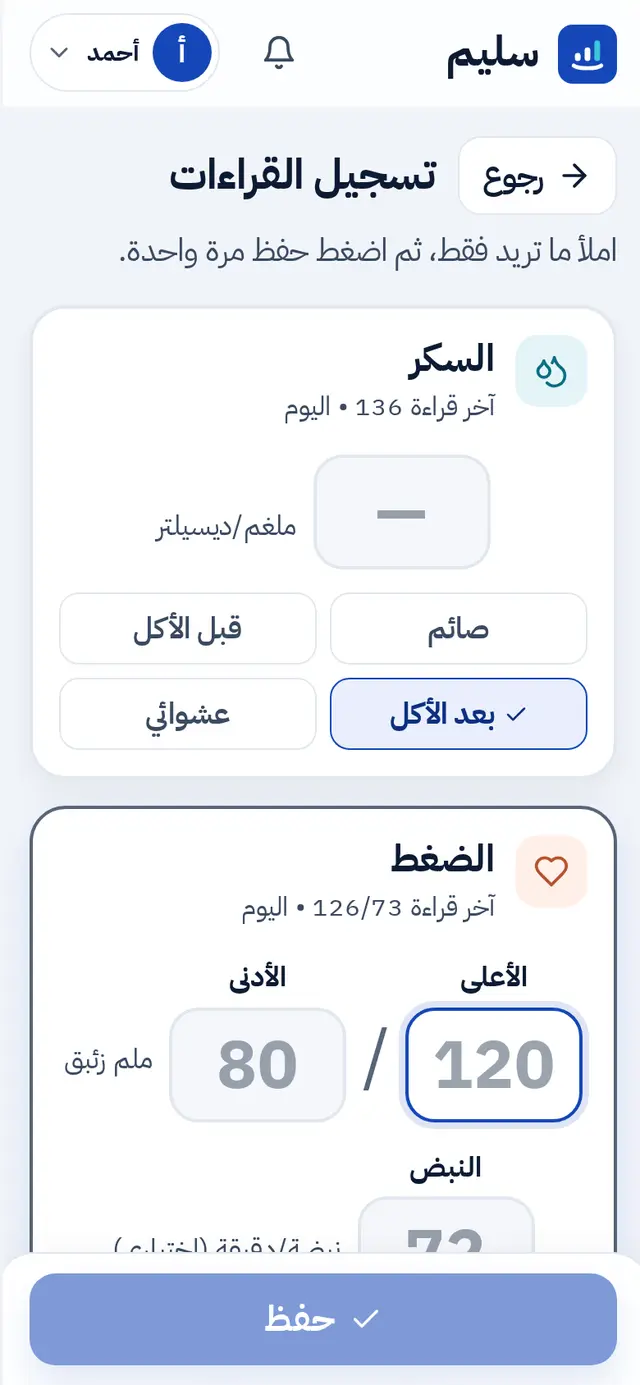
The status appears at once as a word and a colour: low, normal, needs attention or high. Readings are compared with general adult ranges; this is not a diagnosis, and your doctor has the final word.
Weight has its own card on the home screen. Log it when you weigh yourself and Saleem works out your BMI from your height.
3. Read your home screen
- The latest reading of each type with its status.
- A chart of the last 7, 30 or 90 days, with the normal range shaded behind the line.
- This week: how many days you logged, plus short plain-language notes about what changed and what may be worth discussing with your doctor.
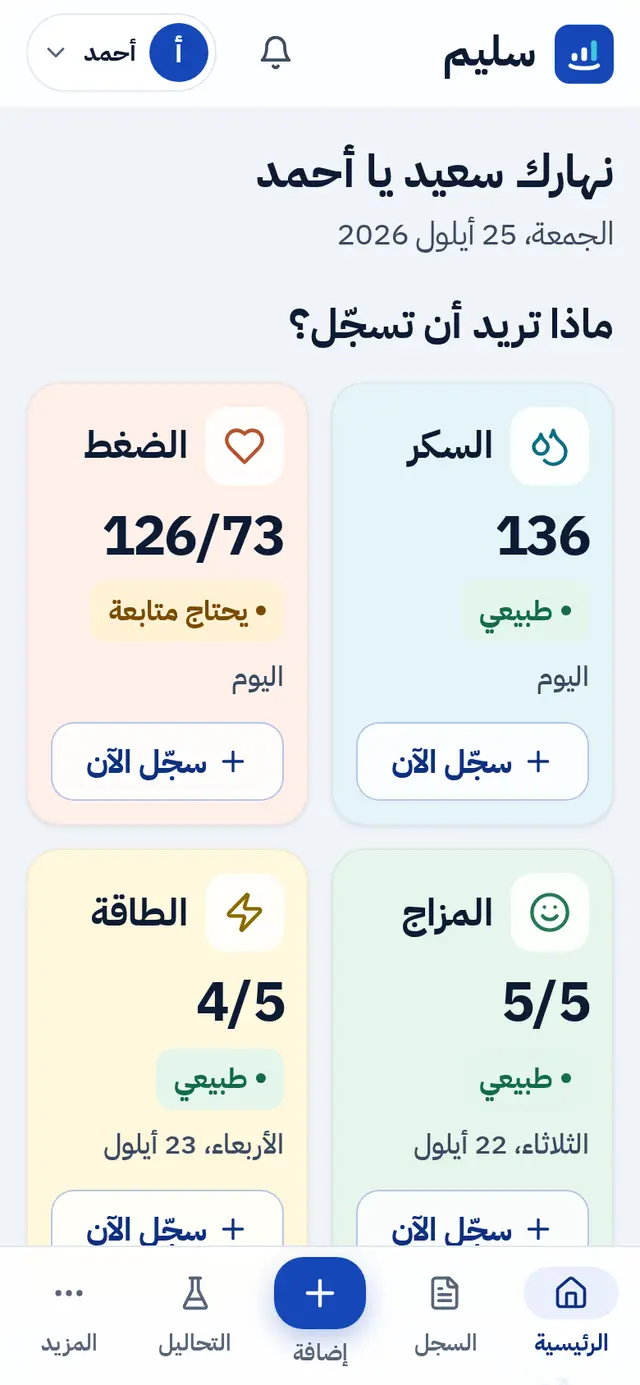
Every sentence is built from your own numbers, and none of them is a diagnosis.
4. Medicines and reminders
Open "Medicines" and add each one with its name, dose, instructions and daily times. Today's doses appear on the home screen with two buttons, "Taken" and "Skip". A dose can be marked up to two hours before its time.
Daily reminders live in Settings: up to four times a day to log your readings. In the browser, reminders show while Saleem is open; the Android app reminds you about medicines and readings on the phone itself.
5. Lab tests
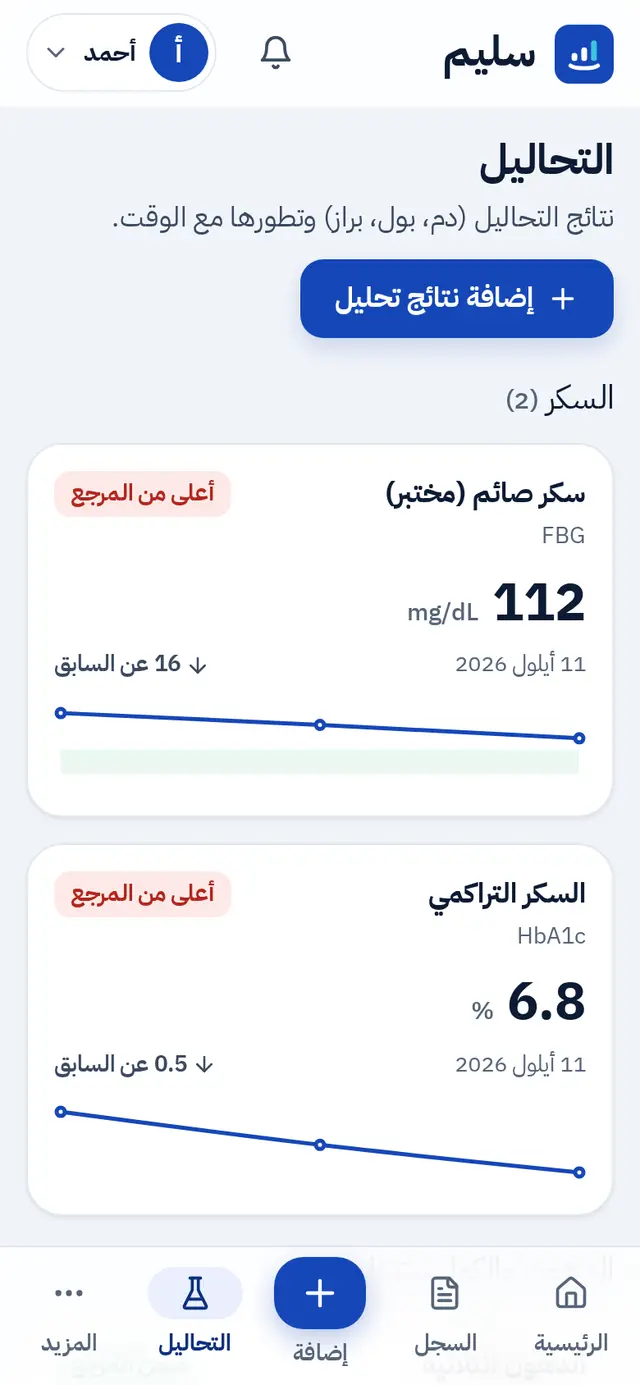
In "Lab tests" you record a whole lab visit: pick the tests (more than a hundred are ready, and any other can be added by hand) and type the result exactly as the lab printed it, even "< 0.5" or "Negative". Saleem compares it with the lab's own reference range when one is printed, otherwise with the usual range, and shows the history of each test and the change since the last one.
6. A blood-pressure week
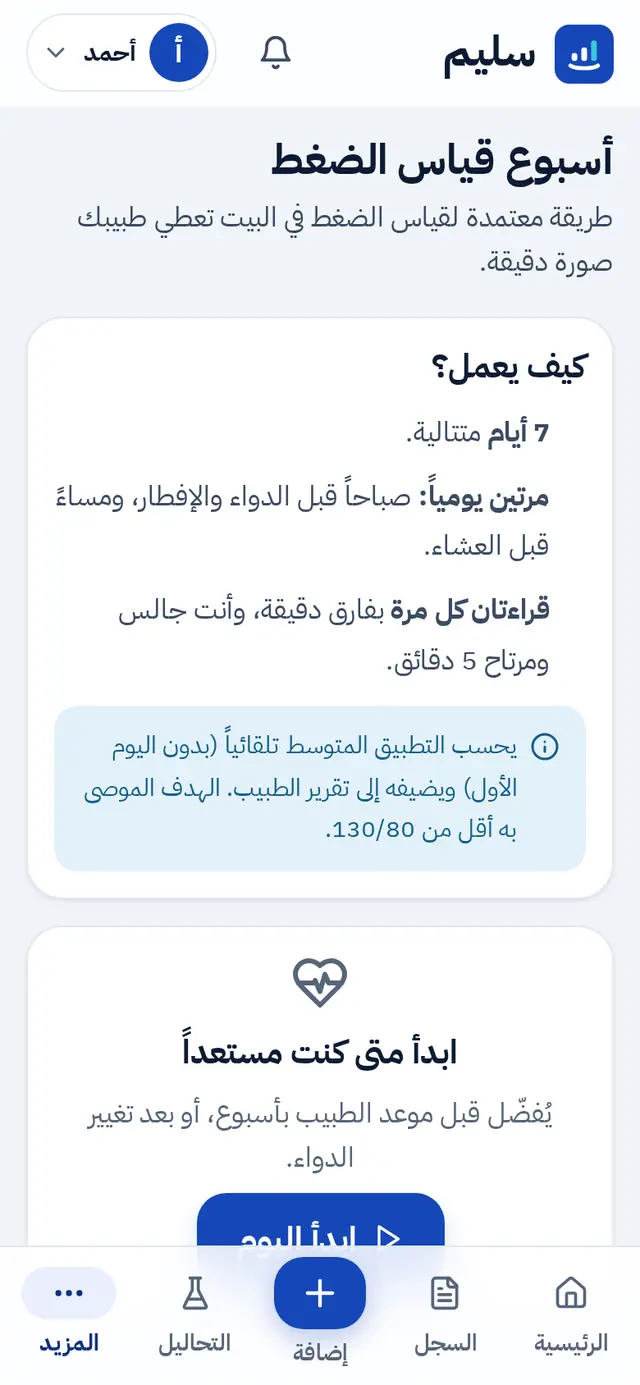
Before a doctor's visit, start a "blood-pressure week": seven days, morning and evening, two readings each time. Saleem guides you session by session and works out the average at the end. Ask your doctor whether they would like your readings this way.
7. The doctor report
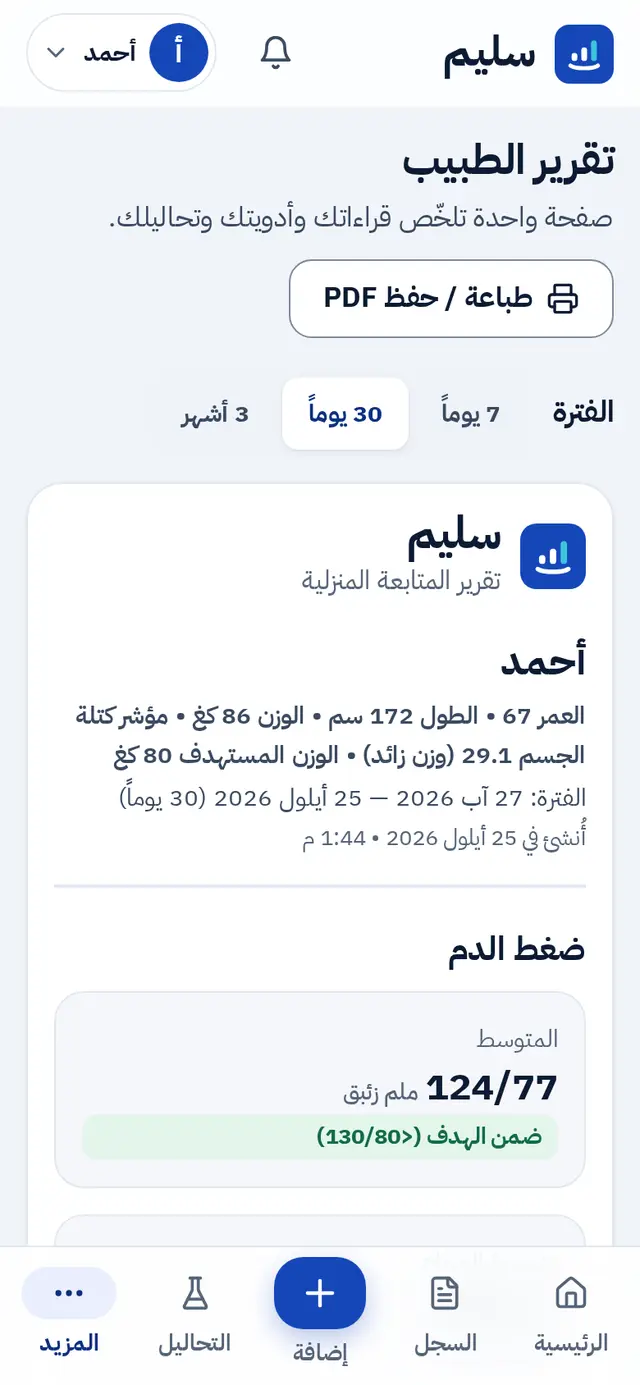
"Doctor report" is one page for the last 7, 30 or 90 days: blood pressure and sugar averages, weight, medicines with adherence, and the latest lab results. Print it, save it as a PDF, or send a link that expires after a day, a week or a month. The link comes with a QR code and a WhatsApp button, and you can revoke it at any moment.
8. Family
From "Family" you can:
- Add a profile you manage for someone who does not use a phone, such as a parent. You log for them, and each person has a separate record.
- Invite an adult with a code valid for seven days, sent by WhatsApp or as a link. They choose what you may do: view only, or view and add.
- "Who can see my record": lower or revoke access at any time, with a history of every change.
When a relative's record is open, their name shows at the top of the screen, and the app returns to your own record after ten idle minutes.
9. An AI assistant, if you want one
In Settings, open "Connect an AI assistant": pick ChatGPT, Claude or Gemini and follow the few steps shown for that assistant alone. You choose "read only" or "read and add", and "only me" or "me and my family". Then ask it "How was my blood pressure this week?" or tell it "Log fasting sugar 104".
"Help and ready-made requests" has sentences you can copy into the assistant, and disconnecting takes one tap on the same page.
10. Your data
- "Your data and privacy": download everything in your record as an Excel or JSON file, or delete your account for good.
- No internet: keep logging as usual; readings are sent automatically when the connection returns.
- Large text is on from the start; the dark theme and the app language are in Settings.
The Android app
Get the app on Google Play or as an APK file from the home page. It has everything the website has, and reminds you on the phone.
Ready? Create your account and log your first reading now.