 Saleem
How to log fasting and after-meal blood sugar and share it with your doctor
When to check, how to log each reading with its moment in Saleem, how to read the averages and the chart, and how to share a clear report with your doctor.
A blood sugar number on its own says little; what matters is when you measured it. A reading of 150 after lunch is not the same as 150 before breakfast. That is why Saleem asks for the moment with every reading and compares each number with what fits that moment.
When to check
First follow what your doctor asks of you, because they know your situation. The common moments are:
- Fasting: in the morning before eating, after at least eight hours without food.
- Before a meal: before any meal during the day.
- After a meal: usually two hours after the start of the meal.
- Random: any other time.
Log the reading from your meter in Saleem
- On the home screen, tap the "Sugar" tile.
- Type the number exactly as your meter shows it, in Arabic or Western digits.
- Pick the moment: fasting, before a meal, after a meal or random.
- Save. You can add a short note such as "after a big meal" or "after a walk".
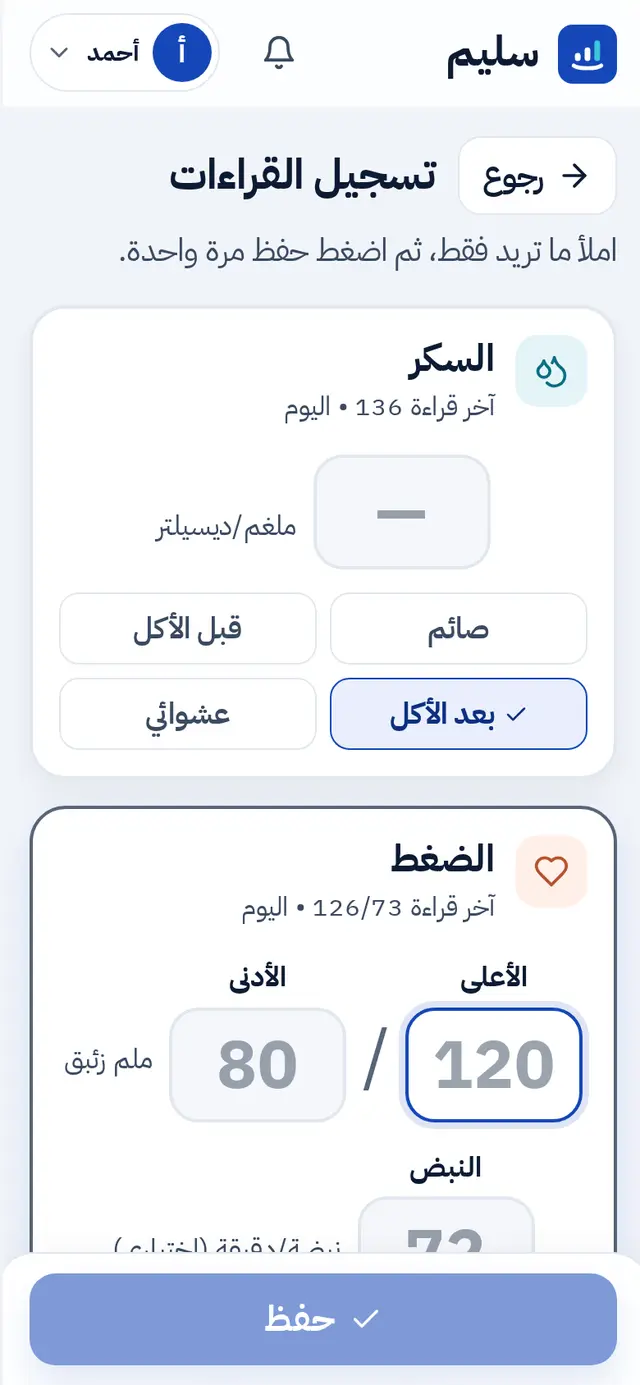
No internet? Log as usual; the reading is sent by itself when the connection returns.
What the word next to the number means
Saleem compares the reading with general adult ranges for its moment and describes it in one word: low, normal, needs attention or high. In these general ranges a fasting reading counts as normal between 70 and 99 mg/dL, and an after-meal reading between 70 and 139.
The word is for tracking only, not a diagnosis. Your doctor may set different targets for you, and their advice always comes first.
Look at the whole picture
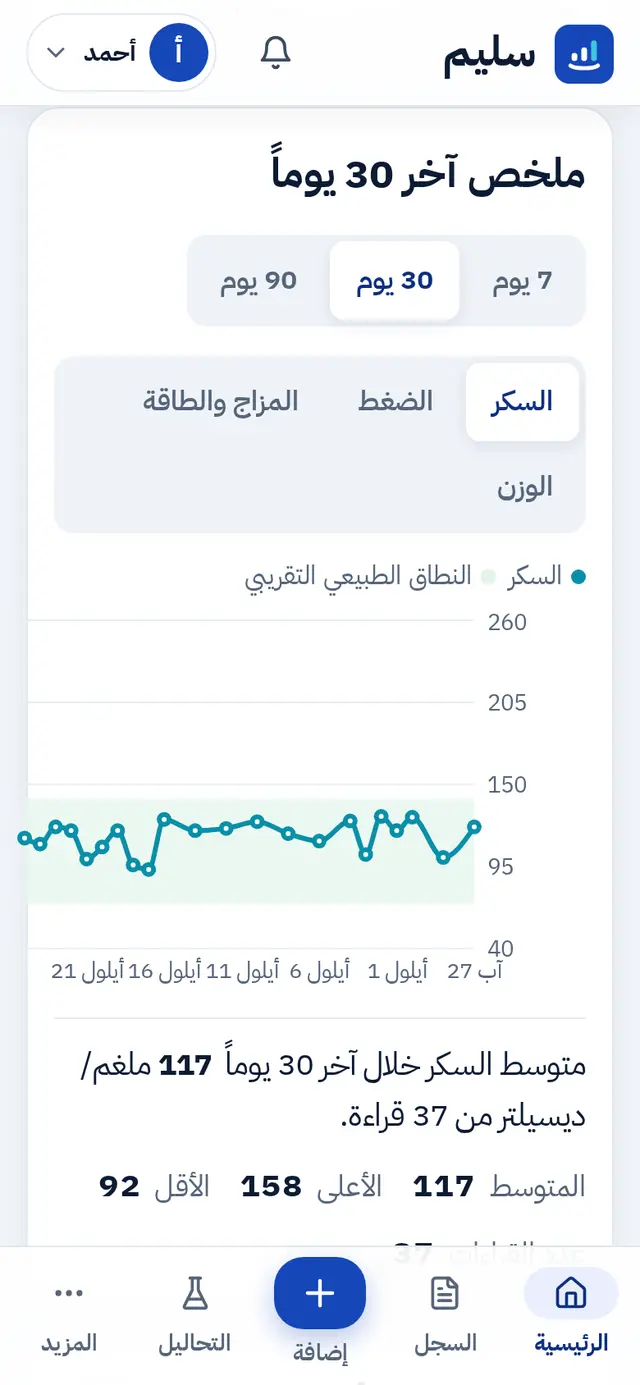
- The chart for the last 7, 30 or 90 days, with the normal range shaded behind the line.
- This week: short sentences comparing your fasting average with the week before, counting low and high readings, and comparing fasting with after-meal.
Share it with your doctor
In "Doctor report" your doctor finds your fasting and after-meal averages, lowest and highest readings, how many were low or high, and the share that was normal. Print it, save it as a PDF, or send a link that expires by itself. The details are in the doctor visit guide.
Small tips
- Log right after measuring so you do not forget the number or the moment.
- A few regular readings are more useful than many scattered ones; ask your doctor how often they want them.
- If a reading is very low or very high and you have symptoms, do not wait for the app: follow your doctor's plan or get help at once.
Ready? Create your account and log your first sugar reading today.